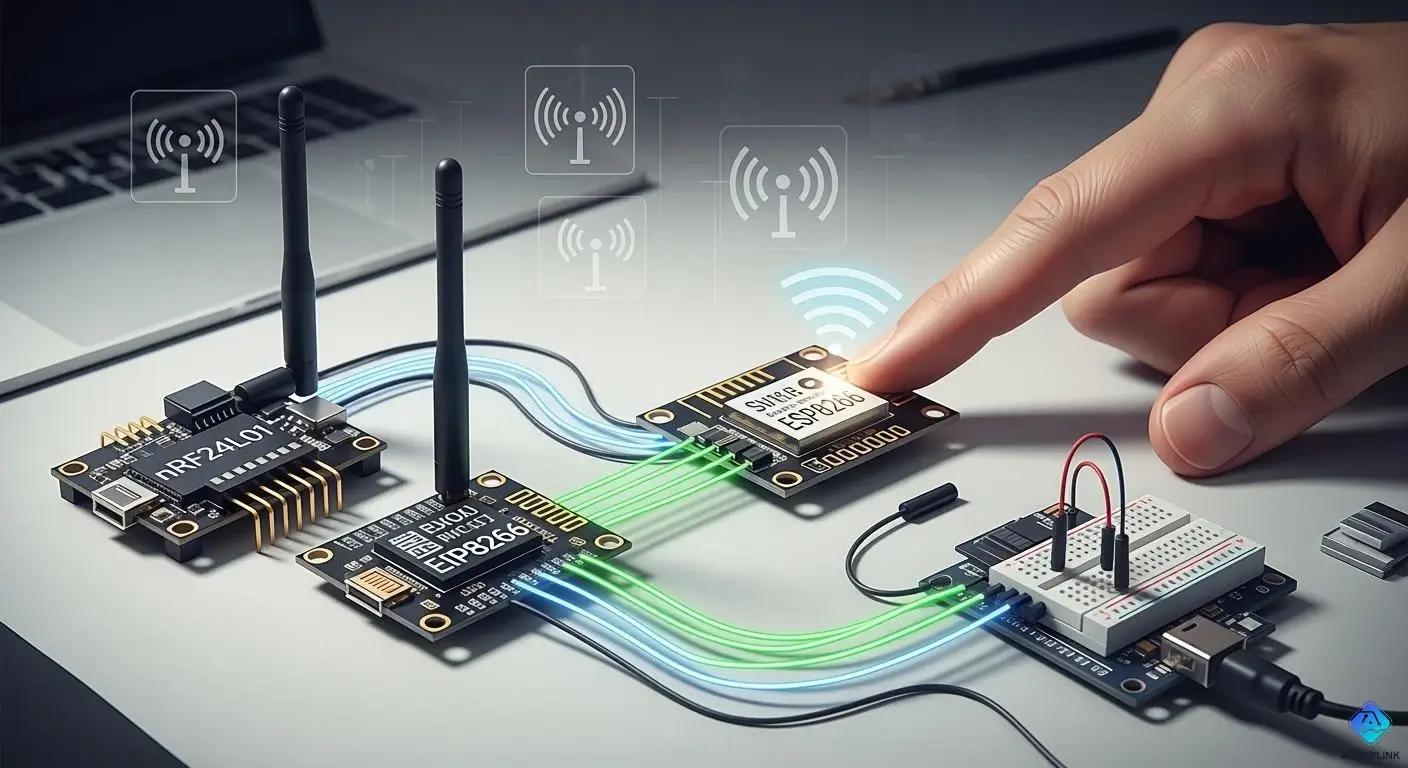
You often face the challenge of picking the right wireless module for your project. Imagine working on a walkie-talkie system for a construction site. You might choose nRF24L01 for short-distance communication. If you need smart helmets for riders during long drives, nRF24L01 fits again. The 2026 guide helps you understand how range, data rate, power, cost, and ease of use shape your decision. The 2026 guide gives you clear answers. The 2026 guide makes your choice simple. The 2026 guide prepares you for every scenario. The 2026 guide lets you match the module to your needs.
Key Takeaways
-
Pick the nRF24L01 for projects that need short range. It sends data fast and uses little power. This makes it good for things like remote controls and sensor networks.
-
Use the ESP8266 if your project needs the internet. It has Wi-Fi and is simple to set up. It works well for smart homes and streaming data.
-
Choose LoRa modules for sending data far away. They can send messages over many miles. This is great for sensors in fields or farms.
-
Think about how much power your module will use. The nRF24L01 and LoRa do not use much power. This helps your device’s battery last longer.
-
Check how far and how fast you need to send data. Each module is good at different things. Pick the one that fits your project best for good results.
2026 Guide: Wireless Module Overview
nRF24L01 Features
The nRF24L01 module is good for many wireless projects. It gives fast and steady communication. It works on the 2.4GHz ISM band. The data rate can be from 250Kbps to 2 Mbps. This module does not use much power. That helps your device battery last longer. The nRF24L01 has some built-in features. These include automatic acknowledgment, retransmits, and error checking. These features help your data get sent safely.
Here is a quick look at the main technical specifications:
| Specification | Details |
|---|---|
| Frequency | 2.4GHz ISM |
| Nominal Current | 50mA |
| Max Operating Current | 250mA |
| Data Rates | 250Kbps to 2 Mbps |
| Transceiver Type | Single chip GFSK |
| Features | Auto ACK, retransmits, CRC |
| Protocol | Enhanced ShockBurst™ |
| Data Pipe | 6 data pipe MultiCeiver™ |
The nRF24L01 is reliable and flexible. You can use it for simple home gadgets or bigger systems. It supports many channels. That means you can connect more than one device. But, its range is not as far as some other modules.
ESP8266 Features
The ESP8266 module lets your projects use Wi-Fi. You can connect your device to the internet or a local network. Many companies make ESP8266 modules. Each company adds special features. Some focus on open-source help. Others make their modules safe or easy for new users.
| Manufacturer | Key Features and Focus Areas |
|---|---|
| Espressif Systems | Innovation, open-source support |
| Ai-Thinker | Wide range, diverse features |
| Adafruit | Developer-friendly, strong community |
| NodeMCU | Open-source firmware, versatile boards |
| Pycom | Combines ESP8266 with other wireless tech |
The ESP8266 does not use much power, especially in sleep mode. When it is working, it uses about 70–170 mA. It is more efficient than newer chips like the ESP32 when sending or getting data. You can use it for smart home projects or remote monitoring.
LoRa Features
You should use LoRa modules for long-range wireless communication. These modules can send data over many kilometers. They work even if there are obstacles in the way. In 2026, LoRa modules are smaller and use less energy. They have better security now. They can also work with other wireless systems like NB-IoT or Sigfox.
-
Smaller modules are easy to add to projects
-
Better security helps batteries last longer
-
Supports many protocols for flexible networks
-
AI and machine learning help process data smarter
-
Open-source platforms let people create new ideas
Lora modules use very little power, about 2.1 μA. You can use them for remote sensors or projects that send small data far away.
Wireless Module Comparison
Range and Long Range Communication
You should think about range before picking a wireless module. Each module works best in different places. Here is what you might see when you use them:
-
The nRF24L01 can lose its signal after 30 meters. Some sellers say it can go 100 meters, but that is not common. You might get 50 meters with a better one. If you send small data, you can reach 80 meters outside. Walls and things in the way make the range shorter.
-
The ESP8266 uses Wi-Fi for its signal. You can get 50 to 100 meters outside. Inside, the range is less because walls block the signal.
-
The LoRa module is good for long distances. It can send data over many kilometers. Lorawan networks help you go even farther. Open fields and high spots give you the best range.
Many things can change how far your signal goes. Look at this table to see what matters most:
| Factor | Description |
|---|---|
| Transmit Power | More power means longer range but uses more battery. |
| Receiving Sensitivity | Better sensitivity helps you get signals from far away. |
| Antenna Performance | Good antennas make your range longer. |
| Geographic Environment | Open places give you more range. Buildings and trees block signals. |
| Obstacles | Walls and thick things make the range shorter. |
You can get better range by using a good antenna. Put your modules in open places. Lora modules work well even with lots of things in the way. Lorawan lets you connect many devices over big areas.
Data Rate and Frequency
You need to pick the right data rate for your project. Fast data rates let you send lots of info quickly. Slow data rates are better for long distances.
| Module | Data Rate | Suitable Applications |
|---|---|---|
| nRF24L01 | Up to 2Mbps | Fast data, remote controls, sensor networks |
| ESP8266 | Higher rates | Internet, streaming, smart devices |
| LoRa | Lower rates | Long range, smart farming, IoT devices |
The nRF24L01 sends data fast. Use it if you need quick updates. The ESP8266 is even faster. It is good for internet projects. The LoRa module sends data slower. It is best for sending small bits far away. Lorawan helps you send data from many sensors to one place.
Power Consumption
You want to save battery in your projects. Each module uses power in its own way. Check this table to see how much power each state uses:
| Device State | Current Draw (mA) |
|---|---|
| Idle | 1 µA to 10 µA |
| Advertising | 3 mA to 10 mA |
| Connection | 5 mA to 30 mA |
The nRF24L01 uses very little power when not working. You can use batteries for a long time. The ESP8266 uses more power, especially when sending data. Use sleep modes to save energy. The LoRa module uses the least power. You can leave it on for months or years. Lorawan saves even more power by sending data only when needed.
Cost and Availability
You should think about cost when making many devices. New tariffs have made wireless modules cost more. Taxes on telecom gear from China are now 35 percent. This means each module costs more. Many companies now buy from Mexico or Eastern Europe. Some modules are harder to find. Prices and supply can change fast. Check prices and stock before starting a big project.
Ease of Use
You want to set up your project fast. Some modules are easier than others.
-
Arduino is good for beginners. You can program it easily. You do not need an operating system. You can start building fast.
-
The ESP8266 is also easy to use. Many guides and libraries help you.
-
The LoRa module takes more work. You need to learn about LoRawan. You must set up gateways and servers. There are open-source tools to help you.
Pick the module that matches your skills. If you want something simple, try Arduino or ESP8266. If you need long range, use LoRa and LoRawan.
Embedded Tutorial: Setup and Configuration
nRF24L01 with Arduino
You can begin by connecting the nRF24L01 module to Arduino. Use jumper wires to join the module’s pins to Arduino’s SPI pins. This tutorial shows you how to set up the wires and upload a simple sketch. Put a capacitor (10μF) between VCC and GND. This helps stop power drops. If you use nRF24L01 with ESP8266, check the voltage levels. The module works best with 3.3V.
Tip: Always check your wiring before turning it on. Wrong connections can break your module.
Common problems include:
-
The nRF24L01 will not work with 5V logic.
-
Signal loss can happen if wires are too long.
-
Some people see interference when using nRF24L01 and ESP8266 together.
ESP8266 Wi-Fi Setup
This tutorial helps you connect ESP8266 to Wi-Fi. First, use a USB-to-serial adapter to link the module to your computer. Open Arduino IDE and pick the right board. Install the ESP8266 board definitions. Write a sketch to join your Wi-Fi network. Type your SSID and password in the code.
If you want to control esp32 devices over Wi-Fi, use similar steps. The ESP8266 works with many libraries. Sometimes, you may have problems with the LoRa library and ESP8266. You can fix this by changing the pin settings in your code with LoRa.setPins.
LoRa Module Integration
This tutorial shows you how to connect a LoRa module to Arduino. Use the SPI pins and match the wires to your board. If you want to control esp32 with LoRa, check the pinout. Some people had trouble with pin settings, but changing the pins in the code fixed it.
Here is a table of troubleshooting steps you can use if you have problems:
| Step Description | Result/Action Taken |
|---|---|
| Checked wiring with a multimeter on each pin of the adapter and radio | Made sure the pinout was correct. |
| Confirmed that the pinout was correct and wiring was intact | No problems found with wiring or pinout. |
| Wrote a sketch to set all ports from D2 to D8 to HIGH and tested each pin | Each pin worked with a buzzer. |
| Connected the radio MOSI Pin directly to GPIO13 | This connection worked well. |
| Checked solder connection between GPIO13 and PCB | Try re-soldering if the connection is bad. |
| Recommended upgrading to the latest Arduino IDE and verifying board definitions | Make sure you have the newest NodeMCU board definition. |
You can use this tutorial for both arduino and esp32 boards. Always check your wires and update your software. This helps you avoid most setup problems.
Module Selection Guide
Short-Range Projects
You need wireless modules for short-range projects. These include remote controls and home automation. Sensor networks also use these modules. You want your devices to talk without trouble. Here are some tips to help you pick the right module:
-
Check the range you need for your devices.
-
Look at how much power the module uses.
-
Think about how much data you will send.
-
Walls and other signals can block your connection.
-
Use a good antenna for better range and battery life.
Here is a table with common wireless modules for short-range projects:
| Wireless Module | Characteristics | Applications |
|---|---|---|
| Infrared Radiation | Sends data over short distances | Remote controls, headphones |
| IEEE 802.15.4 | Low power, low data rate | Sensor networks, home automation |
| ISM Band | License-free, follows power rules | Many short-range wireless uses |
| 6LoWPAN | IPv6 for low-power networks | IoT device integration |
| RFID | Uses radio waves for tracking | Contactless data capture |
| Thread | Low-power mesh networking | Home and building automation |
You can use nRF24L01 for many short-range projects. It works well for sensor networks and remote controls. It gives good speed and uses little power. You can also use IEEE 802.15.4 for home automation.
Internet-Connected Projects
You may want your devices to connect to the internet. These projects let you control things from anywhere. You can collect data online too. When you pick a wireless module, think about these things:
-
The size of your project matters.
-
Check how much power your devices will use.
-
Think about where you will put your devices.
-
Look at the range, data amount, and accuracy you need.
-
See what hardware and software you already have.
Some modules work better for internet-connected projects. Here are some popular choices:
-
Bluetooth LE (BLE)
-
nRF24L01 wireless modules
-
Wi-Fi: ESP8266
-
Wi-Fi: Arduino Shield
-
Electric Imp
The ESP8266 is easy to set up and uses Wi-Fi. You can use it for home automation or sending sensor data to the cloud. It does not need much power and is easy to add to your system. It works well for basic Wi-Fi networking. It can be the main processor in your device.
To pick the best module and supplier, learn about security risks. Check how long the module will last. Make sure your devices can reach far enough.
You can use ESP32 for more features. ESP8266 is often enough for most internet projects.
Long Range Communication with LoRa
You may need to send data over long distances. Lora modules help with this. They work well for farms, remote sensors, and smart cities. When you choose a LoRa module, look at these points:
| Consideration Type | Details |
|---|---|
| LoRa chip models | sx1268, sx1262, sx1280, sx1276, sx1302, LLCC68, and others |
| LoRa frequency band | 170MHz, 230MHz, 433MHz, 400MHz, 900MHz |
| LoRa transmission power | 12dBm, 20dBm, 22dBm, 27dBm, 30dBm, 33dBm, 37dBm |
| Communication interface | UART, SPI, USB, and more |
Lora modules use very little power. You can run them for years on one battery. They send small data packets, which is good for sensors. Many LoRa modules let you change the transmission power. More power means longer range. Less power saves battery. Lora modules often use a 125kHz bandwidth. This gives a good balance between data rate and range. Some modules reach up to +22dBm. This helps you send data far away.
Lora technology keeps costs low. You do not need much money for long-range communication. The modules have high receiver sensitivity. You get a strong signal even at long distances.
Tip: Use LoRa when you need to connect devices over many kilometers. It helps save battery.
Budget and Simplicity
You may want your project to be simple and cheap. Picking the right wireless module helps you save money and time. Here are some things to think about:
| Consideration | Details |
|---|---|
| Cost vs. Quality | Low price can mean lower quality. You may pay more later if the module fails. |
| Performance Metrics | Look at distance, power use, and how well the module receives signals. |
| Development Ecosystem | A strong ecosystem means more guides and tools. This can save you time and money. |
| Certifications and Compliance | Certified modules make it easier to follow rules and connect to networks. |
| Long-Term ROI | Sometimes, paying more at first gives you better results and lower costs over time. |
Simple modules help you finish your project faster. You can break big systems into smaller parts. This makes it easier to build, test, and fix your project. Simple systems have fewer bugs. You spend less time fixing things. Clear code helps your team work together. It keeps your project running smoothly.
Note: Choose simple modules when you want to finish your project quickly. Simple modules help keep costs down. They also make it easier to fix problems and add new features later.
Practical Project Examples
Home Automation
You can make your home smart with wireless modules. Many people use ESP8266 to control things like lights or alarms. You can also use LoRa and nRF24L01 for smart homes. These modules let you connect sensors and switches without wires. You can turn on a lamp or check your door lock from anywhere at home.
Tip: Pick a module with lots of community help. This makes it easier to fix problems and find code examples.
Here are some things people learned from real projects:
| Lesson | Description |
|---|---|
| Technology Selection | Choose a module that works well and has support. |
| Community Support | Join groups or forums to get help and share ideas. |
| Robust Libraries | Use modules with good Arduino libraries for easy setup. |
You can use these modules to send sensor data to your phone or computer. This helps you watch temperature, humidity, or air quality at home.
Remote Sensor Networks
You can put sensors in gardens, farms, or factories. LoRa modules work well for sending data far away. You can place sensors far apart and still get their data. For example, you can send soil sensor data to a main hub. This helps you watch crops or water levels.
-
LoRa modules use little power, so sensors last years.
-
nRF24L01 is good for small places like greenhouses.
-
ESP8266 can send sensor data to the cloud for easy access.
A real project used nRF24L01+ for wireless water checks. It showed you can make cheap and reliable sensor nodes for many uses.
Wireless Data Logging
You can use wireless modules to collect and save data from different places. For example, you can log temperature or motion data in a warehouse. ESP8266 can send data to online storage. LoRa can send data from places without Wi-Fi.
Note: Make sure you have a good way to save your data, either on your device or online. This helps you keep important information safe.
Some projects use both LoRa and ESP8266 to control devices and get feedback right away. This is helpful in rural areas where you need to watch and control equipment from far away.
-
Always check if your modules work well.
-
Use libraries with good instructions for easier coding.
-
Work with the community to solve problems faster.
You now know how nRF24L01, ESP8266, and LoRa each fit different wireless projects. Choose nRF24L01 for short-range, low-power needs. Pick ESP8266 when you want Wi-Fi and internet access. Use LoRa for long-distance, low-data tasks. Test each module to see what works best for your idea. Remember, understanding each module’s strengths helps you build better projects.
Ready to start? Use this guide and begin your next wireless project today!

Written by Jack Elliott from AIChipLink.
AIChipLink, one of the fastest-growing global independent electronic components distributors in the world, offers millions of products from thousands of manufacturers, and many of our in-stock parts is available to ship same day.
We mainly source and distribute integrated circuit (IC) products of brands such as Broadcom, Microchip, Texas Instruments, Infineon, NXP, Analog Devices, Qualcomm, Intel, etc., which are widely used in communication & network, telecom, industrial control, new energy and automotive electronics.
Empowered by AI, Linked to the Future. Get started on AIChipLink.com and submit your RFQ online today!
Frequently Asked Questions
Can you use nRF24L01 and ESP8266 together?
Yes, you can use both with one microcontroller. Make sure the voltage is right for each module. Try to keep their signals from mixing. Use a different library for each module.
What is the maximum range you can expect from LoRa modules?
LoRa can reach up to 15 kilometers in open spaces. If there are buildings or trees, the range gets shorter. Always test your setup where you will use it.
Do you need special software to program ESP8266?
* You can use Arduino IDE for programming. * PlatformIO or Lua also work for ESP8266. * There are many libraries that make programming easier.
How do you troubleshoot wireless module connection issues?
First, check all your wires. Make sure you use the right voltage. Update your libraries and firmware. Test each module by itself before using them together.

