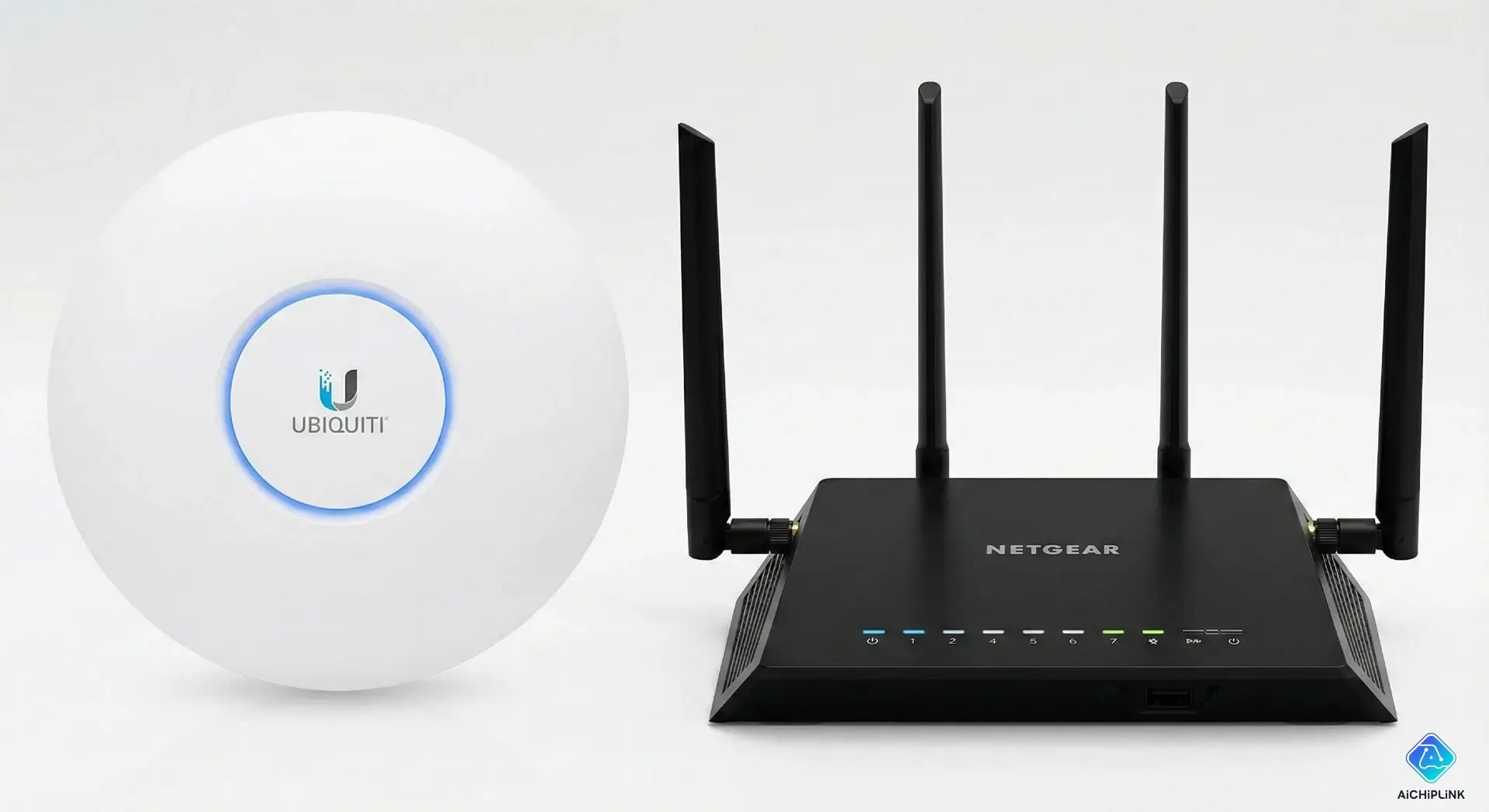
In the world of home and small business networking, the terms "Router" and "Wireless Access Point" (AP) are often used interchangeably. While they both allow you to connect to the internet wirelessly, they perform fundamentally different jobs within a network.
If you are struggling with dead zones in your house or trying to expand a business network, understanding the difference between these two devices is crucial.
Here is a breakdown of what they are, how they differ, and which one you actually need.
What is a Router?
A Router is the brain of your network. Its primary job is to direct (route) traffic.
It sits between your internet connection (from your modem) and your local network. It assigns IP addresses to your devices (using DHCP), manages security (via a firewall), and ensures that traffic flows correctly between the internet and your devices.
Most "routers" you buy for your home today are actually 3-in-1 hybrid devices. A standard home router typically combines:
- A Router: To manage traffic and IP addresses.
- A Switch: The Ethernet ports on the back for wired devices.
- A Wireless Access Point: To broadcast the Wi-Fi signal.
What is a Wireless Access Point (AP)?
A Wireless Access Point (AP) is a specialized device with a single job: to create a wireless signal from a wired connection.
Unlike a router, an AP does not manage IP addresses or route traffic. It acts as a portal that converts wired Ethernet data into radio waves (Wi-Fi) and vice versa. APs are typically used in larger homes or offices where a single router's Wi-Fi signal cannot reach every corner.
Key Differences at a Glance
| Feature | Router | Wireless Access Point (AP) |
|---|---|---|
| Primary Function | Directs traffic, assigns IPs, manages security. | Adds Wi-Fi capability to an existing network. |
| Network Role | The central hub (The "Brain"). | An extension of the network. |
| DHCP Server | Yes (Assigns IP addresses). | No (Usually relies on the router). |
| Ports | WAN port + LAN ports (Switch). | Usually just 1 LAN port. |
| Scalability | Hard to scale (usually one per network). | Easy to scale (add dozens to one network). |
Deep Dive: The 3 Main Differences
1. Functionality and Logic
Think of a Router as the manager of an office. It decides who gets to talk to whom and assigns tasks (IP addresses).
Think of an Access Point as a specialized worker. It simply extends the reach of the manager. It doesn't make decisions; it just facilitates communication in areas the manager can't reach physically.
2. Connection Method
- Router: Connects directly to your modem via a WAN port. It creates the Local Area Network (LAN).
- Access Point: Connects to your router (or a switch) via an Ethernet cable. It extends the LAN that the router created.
3. Scalability (Home vs. Enterprise)
For a small apartment, a single Router is usually sufficient.
However, as you grow—perhaps moving to a large multi-story home or an office building—a single router will struggle to cover the area. This is where Access Points shine. You can run Ethernet cables to different floors and install APs. Because APs don't create their own separate networks (they just bridge the existing one), your phone can seamlessly roam from one AP to another without dropping the connection.
If you tried to solve this problem by adding a second Router, you would create a "Double NAT" issue, splitting your network into two separate, non-communicating segments.
Which One Do You Need?
You Need a Router If:
- You are setting up a new internet connection and have no equipment.
- You live in a small to medium-sized apartment or home.
- You want an all-in-one device that handles security, Wi-Fi, and wired connections.
You Need a Wireless Access Point If:
- You already have a router, but the Wi-Fi signal is weak in certain rooms.
- You are running a business or have a large home and need to cover a large area with reliable Wi-Fi.
- You want to extend your network to an outdoor area (using an outdoor AP).
- You have wired Ethernet cabling in your walls and want to utilize it for better Wi-Fi speeds than a mesh system can offer.
Summary
In short: A Router creates the network, while an Access Point extends the wireless reach of that network. For most basic home users, a router is all you need. But for those demanding high performance, expansive coverage, and seamless roaming, adding Access Points is the professional solution.

Written by Jack Elliott from AIChipLink.
AIChipLink, one of the fastest-growing global independent electronic components distributors in the world, offers millions of products from thousands of manufacturers, and many of our in-stock parts is available to ship same day.
We mainly source and distribute integrated circuit (IC) products of brands such as Broadcom, Microchip, Texas Instruments, Infineon, NXP, Analog Devices, Qualcomm, Intel, etc., which are widely used in communication & network, telecom, industrial control, new energy and automotive electronics.
Empowered by AI, Linked to the Future. Get started on AIChipLink.com and submit your RFQ online today!
Frequently Asked Questions
Can I use an Access Point without a Router?
An Access Point (AP) cannot function alone to connect you to the internet. The AP handles the wireless signal, but it relies on a **Router** to assign IP addresses (DHCP) and manage the traffic going to and from your modem. You must have a router in your network topology, even if you are using multiple APs.
Can I turn my old router into an Access Point?
Most modern routers have a specific "AP Mode" or "Bridge Mode" in their settings. By enabling this, you disable the routing and DHCP functions, allowing the device to act strictly as a Wi-Fi broadcaster. This is a great way to repurpose old hardware to extend your Wi-Fi coverage without buying a dedicated AP.
What is the difference between a Mesh System and Access Points?
The main difference is the **backhaul** (how they connect to the main network). * **Access Points** are typically hardwired via Ethernet cables to a central switch. This offers the absolute best speed and stability. * **Mesh Systems** usually connect wirelessly to each other. While easier to set up (no wires in walls), they can suffer from speed loss as data jumps from node to node, unless they are "wired backhaul" capable.
Do Access Points need to be plugged into a wall power outlet?
Most business-grade Access Points use **PoE (Power over Ethernet)**. This means they draw electricity through the Ethernet network cable itself, provided it is connected to a PoE Switch or Injector. This allows you to mount APs on ceilings or walls without needing a nearby electrical socket.
Will adding an Access Point create a separate Wi-Fi network name (SSID)?
You *can* set it up with a different name (e.g., "Office-WiFi"), but the best practice is to use the **same SSID and Password** as your main router. This allows your devices to "roam" (automatically switch) to the strongest signal as you walk around the building, although dedicated APs handle this roaming much smoother than repurposed routers.
.png&w=256&q=75)